Booking Guide
Learn how to create a booking, use its details page, and manage arrivals, guests, payments, invoices, and departures.
Start here
| Your task | Guide |
|---|---|
| Make a room, service-only, or mixed booking | Create your first booking |
| Understand each tab, field, status, and action | Booking details |
| Find a booking or complete a daily task | Daily operations |
| Fix a loading, validation, or permission problem | Troubleshooting |
The booking journey
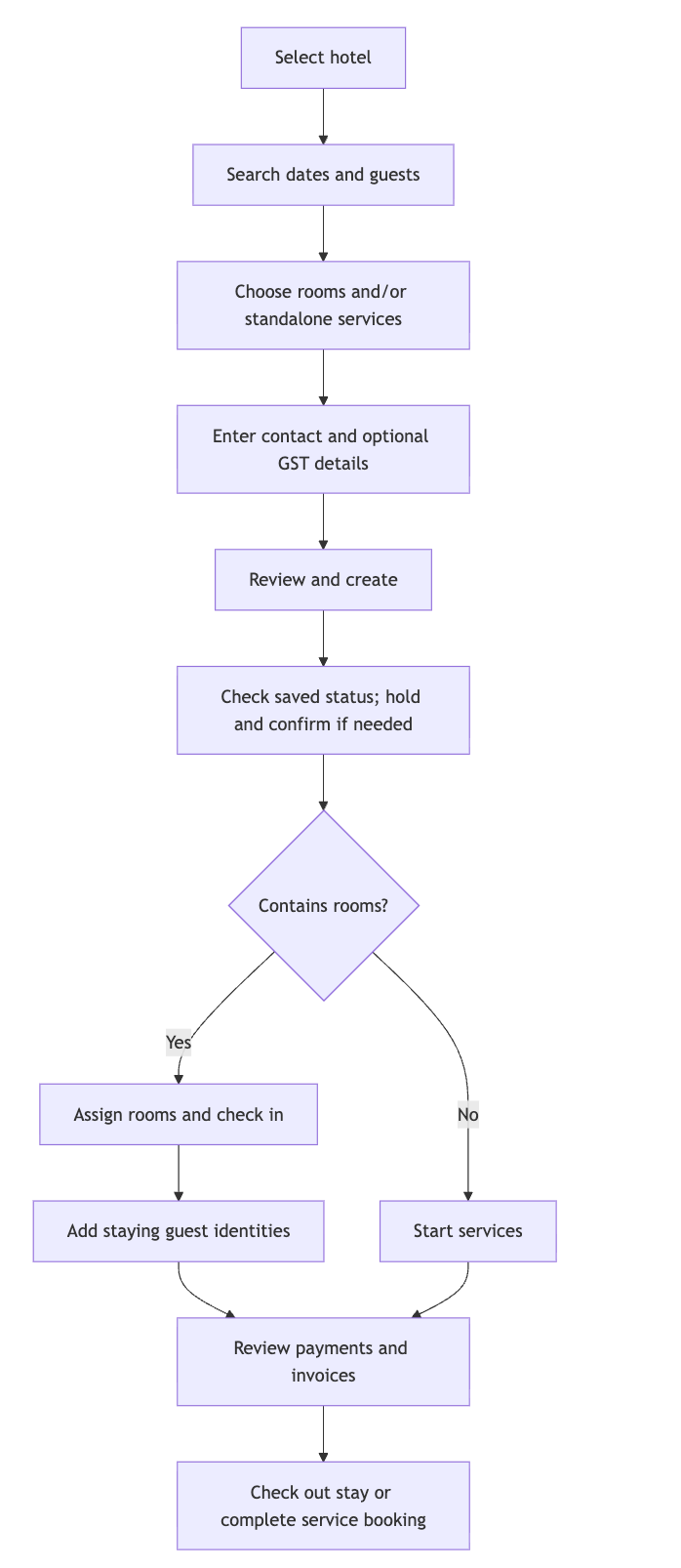
Payment and invoice actions can happen at other stages when allowed. Cancellation is a separate path before check-in; it does not automatically refund money.
Key terms
| Term | Meaning |
|---|---|
| Booking contact | The person making the booking; they may not be staying. |
| Staying guest | A person whose identity you record after check-in. The first added guest is primary. |
| Room type / room unit | You purchase a type such as Deluxe King, then assign a physical unit such as Room 101 at check-in. |
| Room add-on / standalone service | An add-on belongs to a purchased room; a standalone service belongs to the booking. |
| Booking status / payment status | Stay or service progress / money collected. A Confirmed booking may still be Unpaid. |
Check-in and checkout are calendar dates. A stay from 10 to 12 June charges two nights: 10 and 11 June. Actual arrival/departure and creation times are shown in the browser's local time.
How booking links are chosen
Hotel Profile and customer booking links use the active hotel's customDomain property from the hotel API response first. License information is not used to resolve the URL. Without a valid custom domain, they use the standard hotel subdomain. If neither is available, the link is hidden.
| Setup | Hotel link | Customer booking link |
|---|---|---|
| Custom domain | https://book.garden.example | https://book.garden.example/bookings/<bookingId> |
| Standard domain | https://garden.bookings.example | https://garden.bookings.example/bookings/<bookingId> |
The displayed and copied links match. Switching hotels changes the link. The hotel's ordinary website address does not override its booking domain.